Microsoft Copilot Cowork: The Powerful AI Agent That Actually Does Your Work For You
Microsoft Copilot Cowork is not just another AI chatbot. It is the most significant step Microsoft has taken yet toward artificial intelligence that stops answering questions and starts completing tasks — and if early demos are anything to go by, it is a genuine shift in how knowledge work gets done inside Microsoft 365.
Most people have grown comfortable with AI assistants that draft, suggest, and explain. Cowork does something different. It acts. It plans. It executes. And it does it across your calendar, inbox, spreadsheets, and documents — simultaneously.
What Is Microsoft Copilot Cowork?
Cowork sits inside Microsoft 365 Copilot as an agentic execution layer. Where the standard Copilot experience is largely conversational — ask a question, get an answer — Cowork is designed to take a stated goal and pursue it through to completion.
The engine behind this is something Microsoft calls Work IQ: a deep contextual layer that draws signals from your Outlook emails, Teams conversations, Excel data, calendar, and files. When you hand a task to Cowork, it is not working with a blank slate. It already understands your schedule, your relationships, your recent projects, and how you prefer to work.
That changes everything about what an AI agent can do for you.
How Microsoft Copilot Cowork Actually Works
The workflow follows a clear loop:
- You describe an outcome — not a prompt, not a command, just the result you want.
- Cowork builds a plan — broken into discrete, reviewable steps.
- The plan runs in the background — you can check in, approve actions, or redirect at any point.
- Cowork checks in when needed — it flags decisions that require your input rather than guessing.
- Changes are applied only after your approval — nothing is committed without confirmation.
This last point is worth emphasising. The entire Cowork design philosophy is built around the idea that you keep control while shedding the actual labour. You are not handing over your account passwords to a rogue automation tool. You are delegating execution to a transparent, auditable agent that surfaces its recommendations before acting on them.
Four Real-World Use Cases That Show What Copilot Cowork Can Do
1. Cleaning Up Your Calendar — Automatically
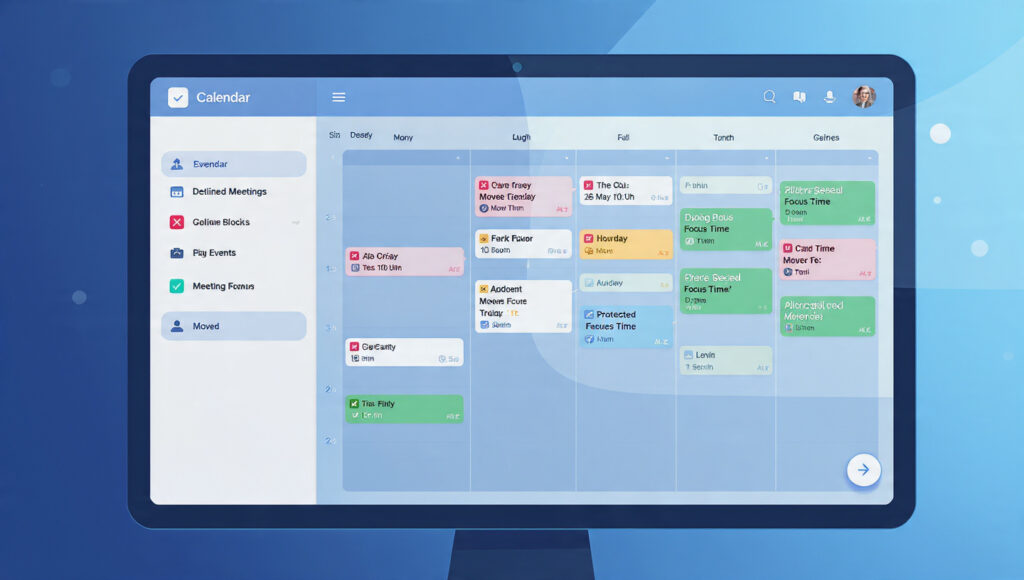
Every Monday feels the same for a lot of professionals: a packed calendar, no focus time, and a sinking feeling that you will spend the whole week in meetings rather than doing meaningful work.
Cowork addresses this directly. Connect it to your Outlook calendar and it immediately surfaces the full picture — how many meetings you have, where conflicts exist, and how much of your week is already spoken for. It then asks what you are trying to prioritise and which meetings are low-value or non-essential.
Once you respond, Cowork generates a set of proposed changes: meetings to decline, meetings to reschedule, focus blocks to add. You review everything. When you approve, it applies the changes — accepting invites, sending declines, drafting polite follow-up emails to organizers, and booking protected focus time. A chaotic week becomes a deliberate one, and you did not have to manage a single calendar event manually.
2. Building the Full Meeting Packet — Not Just the Deck
Preparing for a major customer meeting typically means pulling emails, digging through previous meeting notes, grabbing the latest account data, building a briefing document, and then assembling a presentation. It eats hours. Most people do it the evening before, under pressure.
Cowork takes the entire workflow and runs it concurrently. It pulls relevant inputs from across your Microsoft 365 environment, schedules prep time directly on your calendar, and produces a complete set of deliverables: a briefing document your team can align on, a supporting analysis, and a client-ready PowerPoint deck. It also drafts a status update email, complete with the latest files attached.
Everything is saved to Microsoft 365 and immediately available for team collaboration. You walk in prepared. The prep work happened while you were doing something else.
3. Deep Company Research — Consulting Quality, Delivered Fast
This use case is where Cowork’s integration with web sources and financial data becomes particularly impressive. Ask it to research a company and it does not return a summary paragraph. It builds a proper research package.
Cowork gathers earnings reports, SEC filings, analyst commentary, and current news coverage, prioritising primary financial data over opinion. It pressure-tests its own findings, looking for gaps and inconsistencies before the output reaches you. The deliverables include an executive summary formatted for email, a structured research memo with clear assumptions and cited sources, and an Excel workbook with tabbed sections covering quarterly revenue trends, segment analysis, balance sheet data, and more.
The output is formatted to enterprise standards. Not because Cowork was told to be thorough, but because Work IQ understood the context of the request. Analysts and associates who regularly spend half a day on company research will recognise what that kind of time saving actually means at scale.
4. Building a Full Product Launch Plan — From Strategy to Shareable Assets
Product launches involve more moving parts than most project plans acknowledge. There is competitive analysis, messaging, internal alignment, sales materials, and timeline coordination — and they all need to move at once.
Cowork approaches a launch brief as an orchestration problem, not a content problem. It builds a competitive comparison directly in Excel — complete with a head-to-head scorecard and strategic positioning — and saves a protected version to OneDrive so your team can access it immediately. From the competitive analysis, it synthesises a value proposition document that makes a clear, differentiated case for your product. Then it generates a customer-ready PowerPoint deck that ties everything together into a coherent narrative.
The plan does not stop at strategy. Cowork can also outline milestones, owners, and next steps, giving your team a full operational framework alongside the messaging assets.
Why Work IQ Is the Feature Nobody Is Talking About Enough
Most discussions about Cowork focus on what it produces. The more interesting story is how it knows what to produce.
Work IQ is the connective layer that makes contextual execution possible. Standard AI connectors — the kind that plug a chatbot into your calendar or inbox — capture fragments of data. They see meeting titles, not meeting history. They see email threads, not the relationships behind them.
Work IQ goes deeper. It understands your role, your recurring workflows, your team’s dynamics, and the broader context of any given task. When Cowork drafts a briefing document for a customer meeting, it is drawing on everything Microsoft 365 knows about that account — not just the last email you sent.
This is the difference between an assistant that needs to be managed and one that genuinely understands its assignment.
Microsoft Copilot Cowork and Enterprise Security

One of the most legitimate concerns about agentic AI tools is the security and compliance question. When an AI is taking actions on your behalf — sending emails, scheduling meetings, saving files — who is accountable, and where does the data go?
Microsoft has been deliberate in how it has answered this. Cowork runs entirely within Microsoft 365’s existing security and governance boundaries. Your organisation’s identity policies, permission controls, and compliance frameworks apply by default. All actions and outputs are auditable. The execution environment is a protected, sandboxed cloud setup, which means tasks continue progressing safely across device changes without opening any new security surface.
For enterprise IT and compliance teams, this matters enormously. An AI agent that routes work outside your governance framework is a liability. Cowork is built to stay inside it.
The Multi-Model Advantage — Why Anthropic and Claude Are Part of This
One detail in Microsoft’s announcement that signals where Copilot is heading: Cowork’s technology was developed in collaboration with Anthropic, integrating the technology behind Claude into the Microsoft 365 Copilot framework.
Microsoft’s position here is interesting. Rather than insisting that one AI model handles everything, Copilot is being built to select the right model for each task — regardless of who built it. Your work is not constrained by a single AI provider’s strengths and limitations. The system is designed to route to the best available capability.
This is a meaningful architectural commitment. It suggests that the future of enterprise AI is less about which AI you use and more about the orchestration layer that coordinates across models intelligently.
When Can You Actually Use It?
As of now, Microsoft Copilot Cowork is in Research Preview, available to a limited set of customers. It is set to become more broadly available through Microsoft’s Frontier program in late March 2026.
The Frontier program is Microsoft’s early-access track for organisations that want to move ahead of general availability and help shape how these tools develop. If your organisation is already invested in Microsoft 365 and has been tracking the evolution of Copilot, this is the next logical step to explore.
Is Copilot Cowork Right for Your Team?
The honest answer depends on how your team currently spends its time. If a meaningful portion of the working day goes toward coordination tasks — preparing for meetings, assembling research, managing schedules, building launch materials — then Cowork addresses real friction.
It is not designed for organisations that want to try AI for the first time. It is designed for teams already embedded in Microsoft 365 who want that investment to compound. The more Microsoft 365 data your organisation has generated, the more context Work IQ can draw on, and the more useful Cowork becomes.
Think of it less like a new tool and more like a very capable colleague who already knows your systems, your calendar, and your priorities — and just needed to be asked.
The Bottom Line on Microsoft Copilot Cowork
The gap between “AI that helps you think” and “AI that helps you execute” has been the defining challenge for enterprise AI adoption. Copilot Cowork is Microsoft’s clearest attempt yet to close it.
It is not perfect and it is not fully available yet. But the core proposition — describe an outcome, let Cowork build and run the plan, stay in control without staying in the weeds — is the direction enterprise work has been moving toward for years. The tools are finally catching up.
If you are evaluating AI productivity tools for your organisation in 2026, Microsoft Copilot Cowork deserves serious attention. Check out our related coverage on How Does the Facebook Algorithm Work in 2026? to build a fuller picture before your next planning cycle.
🔗 You Might Also Like

Transform Your Life: AI in Everyday Life Made Simple
📅 February 11, 2026
Discover how AI in everyday life simplifies tasks, boosts productivity, and saves time. From smart homes to health tracking—start using…
Read Full Breakdown →