What is AI Automation? A Complete Guide for Business Owners and Professionals
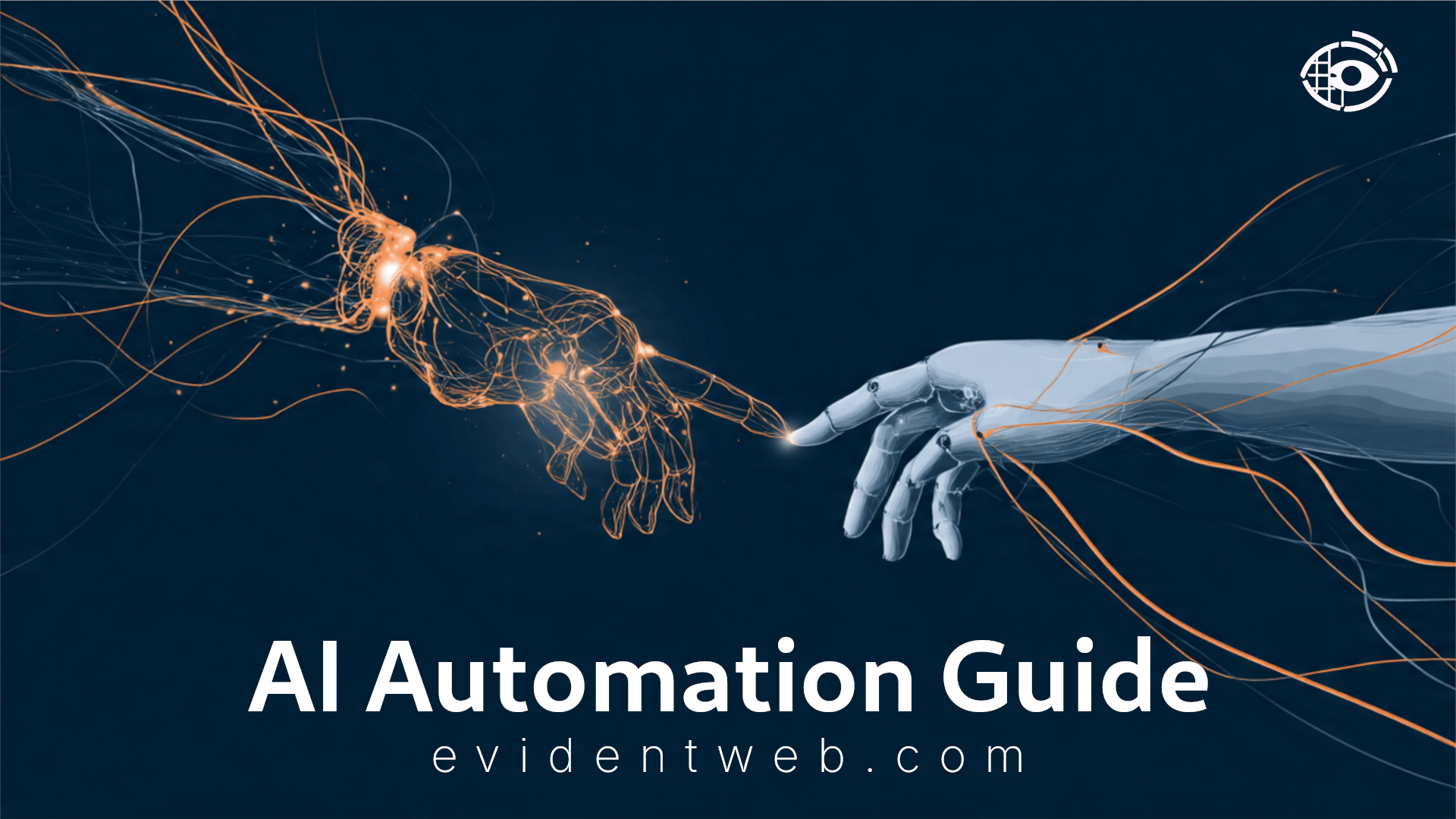
Picture your most capable employee. They arrive on time, never call in sick, process thousands of records without losing focus, and learn from every mistake they make. Now imagine deploying hundreds of them across your organisation simultaneously—at a fraction of the cost of a single hire. That is not a fantasy. That is what mature AI automation looks like in practice.
But here is the problem: most business owners and professionals are being sold two different things under the same label. On one side, you have traditional automation—scripted, rule-based software that executes predefined tasks with robotic precision. On the other side, you have artificial intelligence—systems that learn patterns, make predictions, and adapt their behaviour over time. When these two forces converge, you get AI automation: a category that is simultaneously more powerful and more misunderstood than either of its parents.
This guide cuts through the noise. By the end, you will understand exactly how AI automation works, where it delivers genuine results, where it falls short, and how to begin implementing it in your own organisation without burning your budget or your team’s trust.
Defining AI Automation (Beyond the Buzzwords)
Think of electricity. When it was first commercialised in the late 19th century, businesses knew it was powerful, but most didn’t fully understand how to harness it strategically. Some replaced their gas lamps and called it done. Others redesigned entire factory floors around it and gained a multi-decade competitive edge. AI automation is this generation’s electricity: its true value lies not in the technology itself, but in the intelligence of its application.
At its core, AI automation is the use of artificial intelligence techniques—such as machine learning, natural language processing, and computer vision—to automate processes that previously required human judgement. The key word is judgement. Ordinary automation handles the known. AI automation begins to handle the ambiguous.
Traditional Automation vs. Intelligent Automation
The distinction matters enormously for practical decision-making. Traditional, or “rules-based,” automation is essentially a very sophisticated set of if-then instructions. A script that extracts invoice data from a fixed PDF template and posts it to your accounting software is traditional automation. It is fast, reliable, and completely brittle: change the template layout by two centimetres and the whole system breaks.
Intelligent automation, by contrast, does not need rigid rules. A machine learning model trained on thousands of invoices can recognise relevant data fields even across wildly different formats, suppliers, and layouts. It improves as it processes more documents. It flags anomalies it was never explicitly told to watch for. It is, in a meaningful sense, learning.
| Dimension | Traditional Automation (RPA) | AI Automation (Intelligent) |
|---|---|---|
| Input type | Structured, predictable data | Structured, semi-structured & unstructured |
| Handles exceptions? | Rarely – escalates to human | Often – learns to resolve common exceptions |
| Setup complexity | Moderate – map exact rules | Higher – requires training data & tuning |
| Improves over time? | No – static until reprogrammed | Yes – continuous learning capability |
| Best for | High-volume, stable, repetitive tasks | Variable tasks requiring context & judgment |
| Risk profile | Predictable failure modes | Probabilistic errors require monitoring |
Neither approach is universally superior. Many mature implementations use both in combination: RPA handles the predictable plumbing; AI handles the unpredictable exceptions. Understanding which tool belongs where is the first mark of strategic sophistication.
The Core Components: How It Actually Works
AI automation is not a single technology—it is an ecosystem of complementary capabilities. Think of it as a workforce. Every workforce needs a brain to think, a voice to communicate, and hands to act. AI automation has an equivalent for each.
Machine Learning (ML) – The Brain
Machine learning is the discipline that gives AI systems the ability to learn from data without being explicitly programmed for every scenario. Rather than following a fixed script, an ML model is trained on historical examples—thousands, millions, sometimes billions of them—until it learns to identify patterns and make predictions.
In a business context, ML is what allows a fraud detection system to flag a suspicious transaction it has never seen before, or what allows a demand forecasting tool to account for an unusual weather event when predicting next week’s inventory needs. It is the cognitive engine underneath the hood of most serious AI automation deployments.
There are three primary flavours of ML relevant to business automation: supervised learning (the model learns from labelled examples, such as emails tagged as “spam” or “not spam”), unsupervised learning (the model finds structure in unlabelled data, useful for customer segmentation or anomaly detection), and reinforcement learning (the model learns through trial, error, and reward signals—widely used in robotics and dynamic pricing).
Natural Language Processing (NLP) – The Communication Layer
If ML is the brain, Natural Language Processing is the communication system. NLP enables machines to read, interpret, generate, and respond to human language—written or spoken. Every time you interact with a chatbot, use voice search, or receive an automatically summarised report, you are using NLP.
For business automation, NLP is transformative because so much business data is unstructured text: emails, contracts, customer feedback, support tickets, social media mentions, regulatory filings. Traditional automation cannot touch these. NLP unlocks them. A contract review tool powered by NLP can scan a 200-page commercial agreement in seconds, flagging non-standard clauses and liability risks—a task that previously consumed entire teams of junior lawyers.
The arrival of large language models (LLMs)—the technology underpinning tools like Claude and GPT—has dramatically expanded what NLP can do. These models do not merely classify text; they reason about it, generate it, translate it, and adapt their output to context and tone. This is not parlour-trick technology. It is fundamentally changing how knowledge work gets done.
Robotic Process Automation (RPA) – The Hands
If ML is the brain and NLP is the voice, RPA is the hands. Robotic Process Automation refers to software bots that interact with digital systems the same way a human user would—clicking, typing, copying, pasting, navigating interfaces. These bots work at the user interface layer and can operate across virtually any software system without requiring deep technical integration.
RPA on its own is not intelligent—it executes fixed workflows. But when RPA is paired with ML and NLP, something powerful emerges. An RPA bot can open an email, the NLP layer extracts the customer intent and key data fields, the ML model decides the appropriate action, and the RPA bot executes that action in the downstream system—all without human involvement. This is the full stack of intelligent automation in one workflow.
5 Real-World Applications You Can Implement Today
Theory is only useful when it translates into practice. Here are five specific, concrete applications of AI automation that are delivering measurable results in organisations right now—along with enough detail to help you assess relevance for your own context.
Automated Support Triage and Resolution
When a customer submits a support ticket, an NLP model reads the message and classifies it by intent (billing query, technical issue, cancellation request), urgency, and sentiment. Routine queries—password resets, order tracking, FAQs—are resolved automatically. Complex or high-value cases are routed to the right specialist with full context pre-populated. Telecoms and e-commerce companies are routinely deflecting 40–60% of inbound volume this way, with measurable improvement in CSAT scores because responses are faster and more consistent.
Dynamic Pricing Engines
An ML model monitors competitor pricing, inventory levels, historical demand, weather, local events, and time-of-day patterns simultaneously, then adjusts product prices in real time to optimise revenue and margin. Airlines and hotels pioneered this. It is now accessible to mid-market retailers via platforms like Prisync, Omnia, and Revionics. The results can be significant: retailers report margin improvements of 3–8% in the first year. The ethical nuance is important, though—transparency with customers about pricing variability is increasingly a regulatory requirement in some markets.
Automated HR Onboarding Workflows
When a new hire accepts an offer, an AI automation platform triggers a cascading sequence: IT is notified to provision accounts, payroll receives employment details, the line manager gets a pre-built onboarding checklist, and the new employee receives a personalised welcome portal with role-specific training modules pre-selected by an ML model trained on successful employee journeys. What previously required 4–6 hours of HR coordination per new hire compresses into minutes—and the new employee’s experience is dramatically more cohesive. Companies using platforms like Workato or ServiceNow for this report time-to-productivity improvements of up to 30%.
Intelligent Accounts Payable Processing
An AI-powered AP system receives invoices from any channel—email, portal upload, scanned paper—extracts the relevant data using computer vision and NLP, matches each invoice against purchase orders and receipts, applies three-way matching logic, flags discrepancies for human review, and posts clean matches directly to the ERP. Finance teams that implement this typically see processing costs per invoice drop from $12–20 down to under $3, with straight-through processing rates exceeding 80% within six months of deployment.
AI-Powered Lead Scoring and Personalised Nurture Campaigns
An ML model trained on historical conversion data continuously scores inbound leads based on dozens of behavioural signals: which pages they visited, how long they spent there, which emails they opened, their company size, industry, and role. High-scoring leads are immediately routed to sales with context-rich briefing notes auto-generated from CRM data. Medium-scoring leads enter personalised email nurture sequences where content is dynamically selected by the AI based on each contact’s demonstrated interests. Organisations that have matured this capability report pipeline conversion improvements of 15–25% over rule-based segmentation. The human sales team’s time is then reserved for the conversations where their judgement and relationship skills genuinely matter.
The Double-Edged Sword: Benefits and Challenges
One of the most reliable signals that someone is selling rather than advising is when they present AI automation’s benefits without its risks. The honest picture is more complicated—and more interesting.
The Benefits
- Velocity and throughput: Processes that take humans hours can be completed in seconds at scale, 24 hours a day.
- Consistency: Unlike human employees, automated systems do not get tired, distracted, or inconsistent. The 500th task is executed with the same quality as the first.
- Scalability without proportional cost: Doubling output does not mean doubling headcount. The marginal cost of processing an additional unit of work approaches zero.
- Reduced cognitive load on humans: When routine tasks are automated, human attention is freed for complex problem-solving, relationship management, and creative work—areas where humans genuinely outperform machines.
- Data-driven decision support: AI systems surface patterns in data that human analysts would miss, enabling better-informed strategic decisions.
- Auditability: Automated processes create complete digital audit trails, which is particularly valuable for compliance-heavy industries.
- Implementation cost and complexity: Enterprise-grade AI automation projects frequently run over budget and timeline. A realistic implementation budget should include data preparation (often 60% of the total effort), integration, testing, and change management.
- Data quality dependency: AI systems are only as good as the data they are trained on. Garbage in, garbage out—at scale and at speed.
- Privacy and regulatory risk: Automated systems that process personal data are subject to GDPR, CCPA, and an expanding body of AI-specific regulation. Non-compliance is not a theoretical risk; it is a documented source of significant fines.
- Bias amplification: If historical training data reflects past biases (e.g., in hiring or lending decisions), an ML model will learn and perpetuate those biases—at machine speed and scale.
- Employee resistance: Automation initiatives that are not accompanied by transparent communication and genuine reskilling support reliably generate the organisational friction that derails projects.
- Fragility in novel scenarios: AI systems excel within the distribution of their training data. They can fail in unexpected ways when they encounter situations genuinely unlike anything they have seen before.
Practitioner Note
The organisations that extract the most value from AI automation are not those with the largest technology budgets—they are those with the clearest process maps, the cleanest data, and the most deliberate change management programmes. Technology is the easy part. People and processes are where most projects win or lose.
The Future of Work: Will AI Automation Replace Jobs?
The more useful question is not “will AI replace my job?” but “which parts of my job can AI handle better than me—and what does that free me to do that I couldn’t before?”
The displacement anxiety is real and should not be dismissed. History offers both reassurance and honest warning. The Industrial Revolution automated enormous amounts of physical labour. The result, over decades, was not mass unemployment—it was the creation of entirely new categories of work that did not previously exist. The agricultural workforce that moved to factories created a services economy that created an information economy. Each transition was painful for individuals even as it was expansive for society.
AI automation is following a similar trajectory, but with one important difference: it is moving faster, and it is reaching into cognitive work—the domain that previously seemed immune to automation. Tasks that require pattern recognition in structured domains (data entry, document review, basic coding, image classification, customer query routing) are already being automated. Tasks that require contextual judgement, emotional intelligence, ethical reasoning, and genuine creativity remain stubbornly human.
The most rigorous research suggests the reality is less “replacement” and more task redistribution. A radiologist’s role, for example, does not disappear because AI can now read certain scans with comparable accuracy. It changes: the radiologist focuses on complex cases, patient consultation, quality assurance of the AI’s outputs, and research. The routine screening that previously consumed 40% of their time is handled faster and cheaper. Their expertise is deployed where it matters most.
This is the concept of augmentation: human intelligence and AI capability working in a symbiotic loop, each compensating for the other’s weaknesses. Humans bring contextual understanding, ethical judgment, and creative intuition. AI brings scale, speed, consistency, and pattern recognition at superhuman levels. Neither alone is as capable as both together.
For business leaders, the ethical imperative is clear: if you are deploying automation that displaces roles, you have a responsibility to invest in transition—reskilling programmes, internal mobility, and transparent communication. Organisations that treat this as a nice-to-have rather than a strategic priority will pay for it in talent attrition, union friction, and reputational damage. Those that invest in their people’s ability to work with AI will compound their human capital rather than simply deplete it.
How to Start Implementing AI Automation: A Step-by-Step Guide
The following framework is drawn from implementations across industries. It is deliberately conservative—designed to generate early wins and organisational confidence rather than to maximise ambition in year one. That sequencing matters more than most vendors will tell you.
-
1Identify and Document Repetitive, High-Volume Tasks
Begin with a structured audit of where your team’s time actually goes. Process mining tools (Celonis, UiPath Process Mining) can do this analytically; workshops with frontline staff can surface the same insights more humanely. You are looking for tasks that are high-frequency, rule-definable, data-intensive, or involve significant copy-paste between systems. Prioritise tasks where errors have measurable cost—compliance, invoicing, data entry—rather than tasks where the current process is already fast and low-risk.
-
2Audit Your Data Quality Before You Touch Any AI Tool
This step is skipped by most organisations and is the single most common cause of failed AI projects. An AI model trained on inconsistent, incomplete, or biased data will produce outputs that are worse than useless—they will be confidently wrong. Before building anything, assess: How complete is your relevant data? How consistently is it structured? How far back does it go? What labelling or tagging has been applied? If the answers are unflattering, invest in data governance first. It is unglamorous work that pays extraordinary dividends.
-
3Start with Low-Code / No-Code Platforms
You do not need a team of ML engineers to begin. Platforms like Zapier, Make (formerly Integromat), Microsoft Power Automate, and UiPath StudioX allow non-technical teams to build meaningful automation workflows with minimal coding. These tools have also incorporated AI capabilities—connecting to OpenAI, Azure AI, and other services—so that intelligent decision-making can be added to workflows without custom development. Start here. Validate the use case. Understand the failure modes. Then decide whether a custom solution is warranted.
-
4Run a Structured Pilot Before Scaling
Select a single high-value process and automate it end-to-end in a controlled environment. Define clear success metrics before you start: processing time, error rate, cost per unit, employee satisfaction. Run the pilot for 8–12 weeks, gathering both quantitative data and qualitative feedback from the team members whose work is affected. Use this period to find edge cases the system does not handle gracefully, to build confidence in the technology among stakeholders, and to develop the human escalation processes that any responsible automation requires. Only scale when the pilot demonstrates sustained performance against your predetermined benchmarks.
-
5Invest in Change Management and Continuous Monitoring
The pilot’s success will be squandered if the rollout alienates the team or if the system drifts after launch. Communicate openly about what is being automated and why. Involve frontline staff in designing the human-in-the-loop elements—they know the process better than anyone. Once live, establish a monitoring cadence: track accuracy, flag drift (when the model’s real-world performance begins to diverge from its training performance), and schedule regular retraining cycles. AI automation is not a “set it and forget it” investment. It is a living system that requires stewardship.
Frequently Asked Questions
Conclusion: Strategy Over Speed
The businesses that will extract genuine, durable value from AI automation are not necessarily the ones moving fastest. They are the ones moving most deliberately. They understand which problems are worth solving, they invest in the data quality that makes AI work, they bring their teams along rather than imposing change from above, and they treat automation not as a cost-cutting exercise but as a capability-building one.
AI automation is not a destination—it is a discipline. The organisations building that discipline now will find, in five to ten years, that they have constructed a compound advantage: faster operations, better decisions, and human teams whose expertise is deployed where it creates the most value. Those who are waiting for the technology to “settle down” before engaging may find the gap has become unbridgeable.
Start small. Define the problem precisely. Measure relentlessly. Communicate with your team. And build for the long game. The opportunity is real. So are the pitfalls. The difference between them is strategic clarity.
Educational Disclaimer
The information presented in this article is intended for general educational and informational purposes only. It does not constitute professional advice—legal, financial, technical, or otherwise. Technology capabilities, pricing, and regulatory requirements evolve rapidly; readers should verify current specifics directly with vendors and consult qualified professionals before making implementation decisions. All statistics cited are sourced from publicly available industry research and are used for illustrative purposes.
🔗 You Might Also Like
How Does the Facebook Algorithm Work in 2026? Master It and Beat It
📅 March 10, 2026
Last month, I analyzed two nearly identical Facebook Reels from the same page. One crossed 2 million views organically. The other barely reached 500. The difference wasn’t production quality or timing — it was completion rate and retention signals after Meta’s 2026 ranking adjustments…..
Read Full Breakdown →